Parcel Pending PLUS
- 3.3
- Rating
- 10.00K
- Installs
- Free
- Price

 Analysis by App-foxy
Parcel Pending PLUS is a shopping app built around one specific part of online buying: getting your packages safely after they arrive. I found it most useful when I wanted a clearer way to manage a delivery connected with a Parcel Pending locker or collection point, rather than relying only on a carrier notification or a building notice. It is free, aimed at everyone, and developed by Quadient Shipping - Parcel Pending.
That focus makes the experience narrower than a general shopping app, but also more practical for the right person. If your apartment community, workplace, or other property uses Parcel Pending equipment, the app can become a convenient bridge between an online order and the moment you actually collect it. If your deliveries never pass through that system, there is much less reason to keep it installed.
What the app is really for
The first thing I would clarify is that this is not a marketplace where I browse products, compare prices, or place orders. I still use the retailer’s app or website to buy something. Parcel Pending PLUS sits later in the process, helping me deal with the delivery side. That distinction matters because someone searching for a complete online shopping companion could easily expect more than this app is designed to provide.
You May Also Like

 AccuWeather: Weather Radar
AccuWeather Review: A Quick, Clear Forecast for Everyday Decisions
For everyday plans, the best forecast is the one you can understand quickly. AccuWeather makes rain timing, radar, and local conditions easy to act on, with a few trade-offs.

 Hill Climb Racing
Why Hill Climb Racing Still Turns Crashes Into One More Run
A tiny car, a bumpy hill and one more upgrade: Hill Climb Racing keeps resurfacing because its simple chaos makes every near-miss feel personal.

 AliExpress - Shopping App
AliExpress Makes Global Shopping Feel Personal, but Shoppers Bear the Risk
AliExpress turns a global marketplace into a pocket-sized discovery engine. Its reach is useful, its shopping loop compelling, and its trade-offs easy to miss.

 Lords Mobile: Kingdom Wars
Lords Mobile Is a Kingdom-Building Routine, Not a Quick Match
A case-by-case verdict on the building, battles, device demands, and social commitments that make Lords Mobile rewarding for some players and exhausting for others.

 PDF Scanner app - TapScanner
TapScanner Makes Paperwork Easier to Capture, Check, and Share
TapScanner makes scanning with a phone feel less like a rescue operation and more like a dependable step in getting work done. Its capture tools are useful, though not flawless.

 Block Blast!
 Shows How Much a Puzzle Game Can Leave Out
A quiet grid game shows why puzzle players increasingly value instant clarity, repeatable skill and low-pressure play—and where the genre still needs to catch up.
More From Our News Desk
View All News


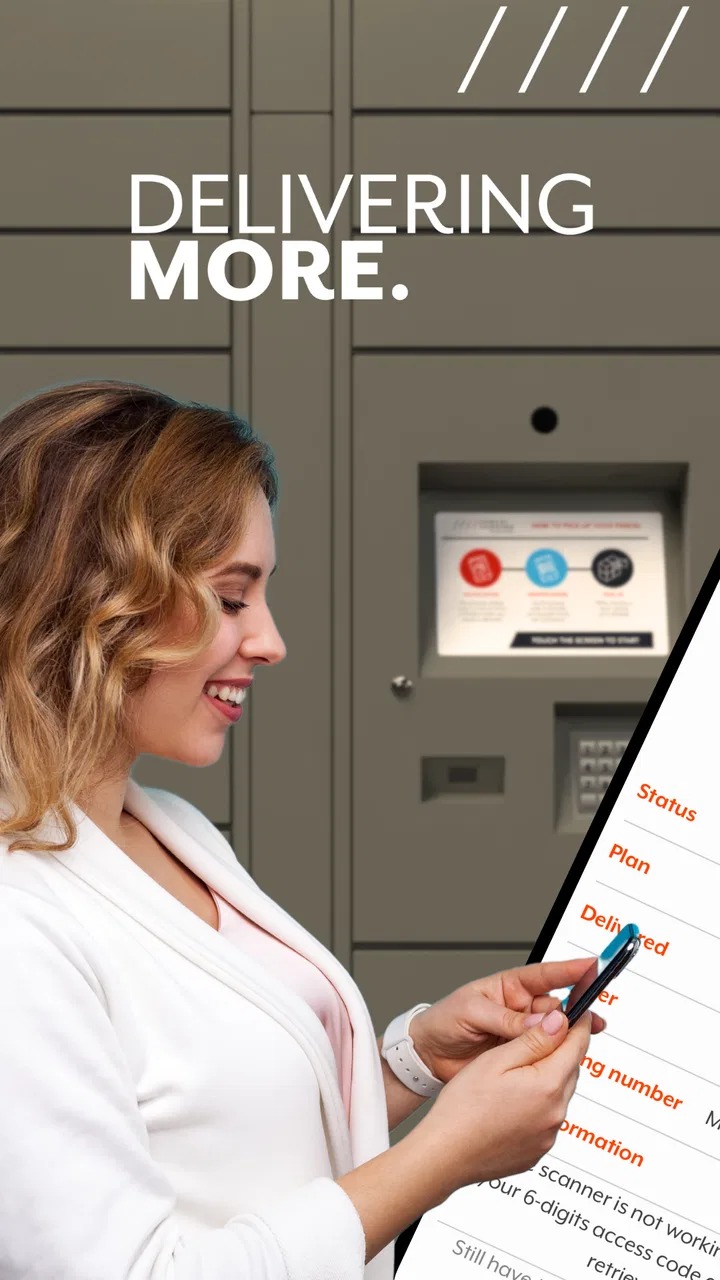
In everyday use, the value comes from having delivery-related information and collection actions in one mobile place. Instead of treating a package as finished the moment a carrier marks it delivered, I can use the app as part of the handoff between the carrier, the locker system, and me. That is especially helpful in buildings where packages are not left at my apartment door.
The app has an average rating of 3.3 from around 145 ratings, with over 10K installs. Those figures suggest a modest user base and a mixed experience rather than universal approval. I would not read that as a reason to dismiss it, because locker apps depend heavily on the property setup and delivery workflow around them. Still, it is a useful reminder to approach it as a practical utility, not a polished all-purpose shopping platform.
Its current version is 9.3.25006 and it runs on Android 8.1 or later. That gives it a reasonably broad reach among Android phones, including some older devices. The app was released on November 29, 2023, so users with older hardware may appreciate that the minimum system requirement is not restricted to only recent phones.
Where connectivity becomes essential
The app makes the most sense when my phone can communicate with the service at the moments that matter: checking delivery information, opening a relevant screen, or completing a collection step. That means the experience is tied to network availability. In a strong connection, the process feels direct. In a weak signal area, the same task can become uncertain because I may not know whether the latest information has loaded or whether an action has gone through.
This is not just a technical inconvenience. Package collection often happens at awkward times: while I am entering a building, carrying groceries, standing outside after work, or trying to collect an item before a locker area becomes busy. I would rather open the app before reaching the collection point, while I still have reliable service, than wait until I am standing directly in front of the locker and discovering that the relevant screen is slow to appear.
My practical habit would be to check the app before leaving home, especially if the package is important or time-sensitive. That gives me a chance to see whether the delivery information is available and whether I need to sign in again. It also avoids the common mistake of assuming that a carrier’s “delivered” message automatically means the package is ready for collection.
That distinction between carrier delivery and locker readiness is one of the more important details in this kind of workflow. A parcel can be physically delivered somewhere in the property while the collection process still depends on the locker system updating. I would not rush to the collection area based on a generic retailer notification alone. I would use the Parcel Pending screen as the more relevant checkpoint for the locker portion of the journey.
Using it while moving through a normal day
Parcel Pending PLUS is best suited to short, purposeful sessions. I would open it when I receive a delivery notification, when I am preparing to leave work, or when I am already near the collection area. It does not need to occupy my attention throughout the day. Its role is closer to a digital key part of a delivery routine than a shopping destination that I browse for long periods.
A realistic example is an apartment resident ordering household supplies during lunch. The retailer confirms the order, and later the delivery process moves through the building’s Parcel Pending setup. On the way home, the resident checks the app before entering the property. If the package is ready, the collection becomes a planned stop rather than a second trip. If the information is not yet updated, the resident can avoid wasting time searching for a parcel that has not reached the relevant stage.
That workflow also helps when I am trying to separate urgent packages from ordinary ones. A small everyday purchase can wait until I pass the lockers. A medication-related item, work accessory, or replacement part may deserve a quicker check. The app does not change the retailer’s delivery speed, but it can make my own decision-making more organized once the package reaches the property’s collection system.
One useful trade-off is that the app may reduce dependence on paper notices or a building’s general communication channel, but it does not eliminate the need for attention. I still need to look at the correct delivery, reach the right location, and follow the collection flow carefully. The convenience is in reducing scattered steps, not in making the entire delivery process automatic.
I would also keep my phone ready before approaching the locker area. A low battery, poor reception, or a phone buried under other tasks can turn a simple collection into an irritating pause. This sounds basic, but it is exactly the kind of preparation that determines whether a delivery utility feels helpful or troublesome.
What happens when the connection or process fails
The most important limitation is that a connectivity-dependent collection tool can be vulnerable at the precise moment I need it. If the app is slow to load, the signal drops, or the service does not immediately reflect a recent delivery, I may be left unsure whether the problem is my phone, the network, the delivery update, or the locker system itself.
My first recovery step would be simple: move to a place with a stronger signal, reopen the app, and wait for the relevant delivery information to refresh. I would avoid repeatedly tapping the same action, particularly if the screen appears frozen. Repeating an uncertain command can make it harder to tell whether the first attempt worked.
If the app shows an older state, I would compare it with the latest retailer or carrier notification, while remembering that those services may describe different stages of delivery. A retailer message can confirm shipment or delivery to a property, but it may not confirm that the locker collection step is ready. That comparison helps identify whether I am dealing with a network delay or simply looking at two different parts of the process.
Another practical tip is to allow extra time for the first use after installing or updating the app. I would not test it for the first time while rushing to catch transport or collect a package before closing time. Setting it up during a calm moment makes it easier to notice whether my account, property, and delivery information are appearing as expected.
There is also a human factor. If I share a building with other residents, I would not assume that a package belongs to me merely because the delivery timing looks right. I would check the details shown in the app and follow the property’s collection procedure. A delivery utility is only as reliable as the care I take when matching the parcel to the right recipient.
These recovery habits do not turn a poor connection into a good one, but they reduce avoidable frustration. They also show where the app is weaker than a simple door delivery: with a door delivery, I can often pick up the package without opening anything. With a locker-based process, the phone and the network can become part of the access chain.
Using less mobile data without making the app less useful
For most people, the app should not require constant use. The most data-conscious approach is to open it only around meaningful delivery events instead of checking repeatedly throughout the day. I would review the status when I expect a package, before traveling to the collection point, and after a delivery notification that appears relevant.
Checking on Wi-Fi before leaving home is another sensible habit. It gives the app a better chance to load while I have a stable connection and lets me understand the current state before I am outdoors or inside a dense building. I would still check again near the collection point if the delivery status is changing, but I would avoid unnecessary refresh cycles.
It is also worth separating useful checking from anxious checking. Opening the app every few minutes will not make a carrier or locker update happen sooner. A better routine is to wait for a meaningful notification or a reasonable delivery window, then inspect the status once. This saves mobile data and makes the information easier to interpret.
People with limited data plans should pay attention to how they use the app alongside other delivery tools. If the retailer, carrier, building system, and Parcel Pending PLUS all send alerts, the phone can feel crowded with overlapping updates. I would keep the service that gives me the most actionable information for collection and treat the others as background confirmation. That does not require disabling anything immediately; it simply means I would avoid reacting to every notification as if it represented a separate event.
Privacy and account awareness matter here as well. Because the app is connected to package collection, I would use it on my own phone or a device I control, keep the account protected, and sign out before handing the phone to someone else. I would also be careful when showing a delivery screen in public, since package details can reveal information I do not want nearby people to see.
The app’s Everyone content rating makes it broadly approachable, but that does not mean every household should treat it casually. The delivery information is personal, and the phone may be involved in a physical collection process. A little care with the device and account is more valuable than leaving the app open all day.
Who will benefit most from it
I would recommend Parcel Pending PLUS to people whose homes, workplaces, or communities actively use Parcel Pending for package collection. For them, the app can bring structure to a delivery process that otherwise depends on several disconnected messages. It is particularly useful for residents who are away during normal delivery hours, people who do not want parcels left outside their doors, and anyone who regularly collects orders from a shared locker area.
It can also help someone who makes frequent online purchases but dislikes checking multiple places to understand whether an order is actually ready. The app will not replace the retailer’s order history, yet it can become the place I consult for the final collection stage. That narrower responsibility is a strength when my main problem is “Where and how do I pick this up?” rather than “What should I buy?”
I would be more hesitant to recommend it to someone who receives nearly everything at a private doorstep, uses several unrelated pickup services, or expects one app to track every carrier automatically. In those cases, the retailer’s own app, a carrier’s tracking tool, or a general delivery organizer may be more useful. Installing a dedicated locker app without a matching Parcel Pending setup would add another icon without solving a real problem.
The same applies to people who often have unreliable mobile service at their collection location. The app may still be worthwhile if they can prepare before arriving, but the phone-dependent nature of the process becomes a real drawback. Someone who values completely passive delivery may prefer a service that leaves packages at a door or with a staffed reception desk.
How it compares with the usual alternatives
Compared with a retailer’s app, Parcel Pending PLUS is less useful for shopping and more relevant at the property level. The retailer can show what I ordered, when it shipped, and perhaps an estimated delivery window. Parcel Pending PLUS is the app I would turn to when the question becomes whether the package is ready within the collection system. Neither completely replaces the other.
Compared with a carrier tracking app, its advantage is specialization. Carrier tools are usually better for movement between warehouses, vehicles, and delivery routes. A locker-focused app is more relevant after the package reaches the destination environment. The trade-off is that I may need both: one for the journey and one for the final handoff.
Compared with email or text notifications, the app can offer a more deliberate place to review delivery information instead of searching through a crowded inbox. Notifications are still useful as prompts, but a dedicated app is easier to consult when I want to verify the collection step. The downside is another account or app to maintain, especially for people who receive only a few packages each month.
Compared with ordinary door delivery, the locker model can offer a more controlled collection point, but it introduces dependence on the property’s equipment and the phone-based workflow. That is the central trade-off. I would choose this experience when security, organization, or flexible pickup matters more than the absolute simplicity of opening my front door.
My final take on the connected delivery experience
After looking at how it fits into a real delivery routine, I see Parcel Pending PLUS as a focused utility rather than a complete shopping companion. Its strongest quality is clarity at the last stage of a package’s journey: it gives people who use the Parcel Pending system a dedicated way to manage collection instead of treating a carrier’s delivery scan as the end of the story.
The connection requirement is both its practical foundation and its main weakness. When the network is available and I check the app before heading to the locker, the workflow can feel organized and predictable. When the signal is poor or an update is delayed, the phone becomes another point of uncertainty. Preparing early, avoiding repeated refreshes, and distinguishing carrier updates from collection readiness make a noticeable difference.
Quadient Shipping - Parcel Pending has positioned this as a free shopping-category app for package receiving, and that narrow purpose is worth keeping in mind. I would install it if my building or workplace uses the matching Parcel Pending service and I regularly collect online orders there. I would skip it if I need universal tracking, product discovery, or a delivery method that works without a mobile connection.
For the right user, the best reason to use Parcel Pending PLUS is not that it replaces every delivery tool, but that it gives the final collection step a clear home. That is a modest promise, yet a useful one. My recommendation is positive for residents inside the Parcel Pending network, provided they are comfortable keeping their phone connected and allowing a little extra time for status updates when conditions are not ideal.
FAQs for Parcel Pending PLUS
01What is Parcel Pending PLUS and how does it work?
Parcel Pending PLUS is a smart package locker system designed to simplify package delivery and retrieval. It allows users to receive packages securely without being home. Couriers deliver parcels to the lockers, and users receive a notification with a unique code to retrieve their package at their convenience.
02Is Parcel Pending PLUS compatible with all delivery services?
Yes, Parcel Pending PLUS is designed to accommodate deliveries from all major delivery services, including USPS, FedEx, UPS, and Amazon. The system provides a secure and convenient way for any courier to deposit packages, ensuring compatibility across different services.
03How secure are my packages with Parcel Pending PLUS?
Security is a top priority for Parcel Pending PLUS. The lockers are equipped with sturdy locks and are monitored by surveillance cameras to prevent theft or tampering. Users receive unique access codes for each delivery, ensuring that only authorized individuals can retrieve the packages.
04What happens if my package is too large for the lockers?
In the event that a package exceeds the size limits of the lockers, the courier will typically follow alternate delivery instructions or attempt redelivery. Users are encouraged to check the dimensions of the lockers and coordinate with the delivery service for larger items.
05Is there a cost associated with using Parcel Pending PLUS?
The cost of using Parcel Pending PLUS can vary depending on the property management's pricing structure. Typically, there may be a nominal fee for residents to access the service, which covers maintenance and operational costs. It's advisable to check with your property management for specific pricing details.
Pros
- User-friendly interface for quick navigation.
- Real-time tracking for accurate delivery updates.
- Customizable notifications for package alerts.
- Secure locker access with unique codes.
- Supports multiple carrier integrations.
Cons
- Occasional app crashes reported by users.
- Limited support for international shipments.
- Requires stable internet for optimal use.
- Some features locked behind premium subscription.
- Locker availability may vary by location.

Parcel Pending PLUS
Gallery